Claude Design: What It Can and Can’t Do
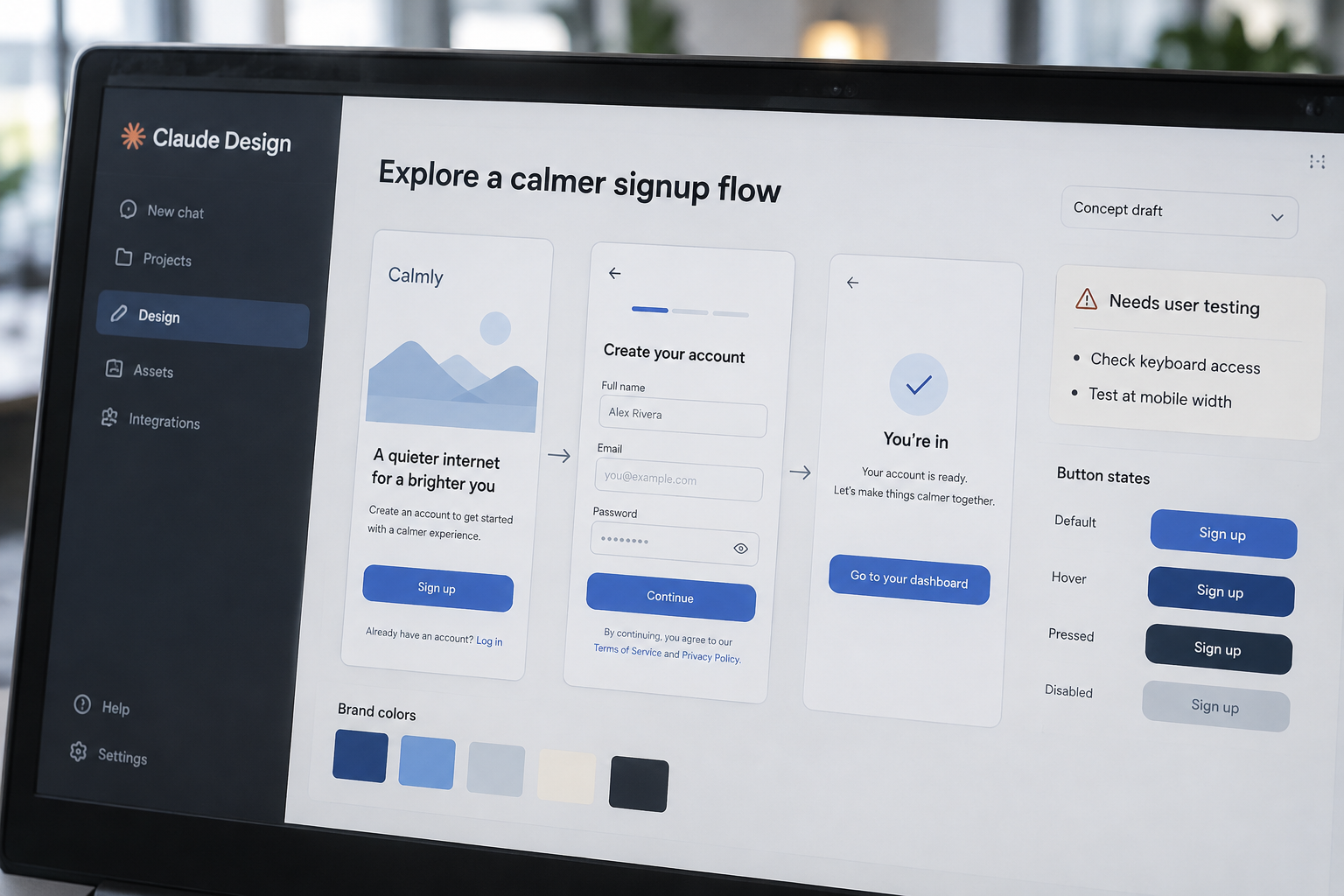
WCAG 2.2 has 13 guidelines; Claude Design can draft a screen, but it can’t confirm that screen works for real users. Anthropic’s design-focused workspace turns written prompts into visual concepts and interactive prototypes, giving product teams a faster way to explore early ideas. It doesn’t replace product strategy, accessibility checks, or the engineering needed to ship software. The practical test is the distance between a convincing prototype and a dependable customer experience: what carries forward, what needs rebuilding, and who checks it. Key Takeaways Generate and revise visual concepts with prompts Treat prototypes as proposals, not production software Add brand references, then review every application Verify export and integration options in your account Test accessibility, responsiveness, and task completion Plan engineering handoff before approving a design What Claude Design Does and Where It Fits Claude Design is a prompt-led workspace for creating and revising visual designs, including interface concepts and interactive prototypes. You describe a product, page, or flow in plain language; Claude produces a starting point you can refine. That makes it useful early in product work, when a team needs to compare directions before investing in a finished design system or build. A focused design workspace The important distinction is the kind of work it supports. Claude Design is aimed at shaping visual ideas, while Claude’s general chat can answer questions or produce text and code without operating as a dedicated design workspace. Claude Artifacts are interactive outputs generated within a Claude conversation. Those outputs can demonstrate an idea, but they aren’t automatically a managed product design file. A practical example: ask for a signup flow for a subscription service, and use the first result to discuss its steps, content, and visual hierarchy. A visual hierarchy is the order in which design elements draw attention. The result gives a team something concrete to critique instead of debating an abstract brief. Availability depends on your account As of October 2, 2026, check your Claude workspace and Anthropic’s current plan documentation to confirm access. Product availability, account eligibility, and enabled capabilities can change. Before a company standardizes on the tool, confirm that each intended user can open it and that your workspace settings allow the files and references the team plans to use. A useful fit: early exploration, internal reviews, and low-risk prototypes. It’s a weaker fit as the sole environment for a mature design system, regulated workflows, or production implementation. Those jobs need documented decisions, repeatable quality checks, and clear ownership beyond the generated screen. How Prompt-Based Design Turns a Brief Into a Prototype A prompt gives Claude Design direction; it doesn’t replace the decisions in a product brief. Specific input usually produces a more useful first draft because the tool has less room to guess about users, tasks, and constraints. Give it the job the interface must do, not only the style you want it to have. Describe the task, not just the look A request such as “make a modern dashboard” leaves open what the dashboard tracks, who uses it, and what action matters most. A better prompt names the user, the main task, the information needed, and relevant constraints. For example: “Create a desktop dashboard for a small-business owner reviewing overdue invoices, with a clear way to filter by customer and open an invoice.” That prompt gives you more to evaluate: Does the screen surface overdue work? Is the filter understandable? Can users find the invoice details? If the first design misses an important step, add the missing requirement directly rather than asking for another vague variation. Iterate against clear criteria Treat the first result as a draft, not a design decision. Review it against a short list: Does it support the main task? Is the content accurate? Are important controls visible? Then request targeted changes, such as improving the empty state or clarifying what happens after a button is selected. Specific revisions make it easier to judge whether the design actually improved. A generated prototype can also help a team spot questions it hasn’t answered. If a checkout concept doesn’t explain shipping costs, the issue may be an incomplete product requirement, not a weak visual treatment. Resolve that decision before polishing the screen; otherwise, successive revisions can make an unclear idea look more finished without making it more complete. Where It Helps and Where It Doesn’t The strongest use case is reducing the time between an idea and a reviewable visual. Claude Design gives product managers, designers, and founders a way to explore options before a team commits to detailed design or engineering work. The payoff is better discussion around an actual flow instead of a broad description. Explore alternatives before committing Use it to compare different approaches to a product page, onboarding flow, or internal tool. For example, a team planning a customer-support portal could compare a search-first landing screen with one organized around recent requests. The prototypes make the tradeoff visible: which approach brings the user’s next action forward, and which adds steps? Keep the comparison focused. Ask for alternatives that change one meaningful decision at a time, such as navigation structure or the order of information. If every version changes layout, copy, color, and behavior together, the team can’t tell which change drove its preference. Make flows easier to review Interactive prototypes can demonstrate a sequence of screens and make review more concrete. Ask reviewers to complete a specific task, such as changing a saved address, rather than asking whether they “like the design.” Their questions often reveal missing states: errors, loading, confirmation, and what happens when a user has no saved information. That’s useful before engineers build the flow, but the prototype’s interactions might not reflect the production system. A button that advances to another screen doesn’t prove the service can save data, handle an error, or protect an account. Mark simulated behavior so reviewers don’t mistake it for tested functionality. Don’t delegate product strategy Claude Design can help visualize a direction, but it can’t decide which customer problem your