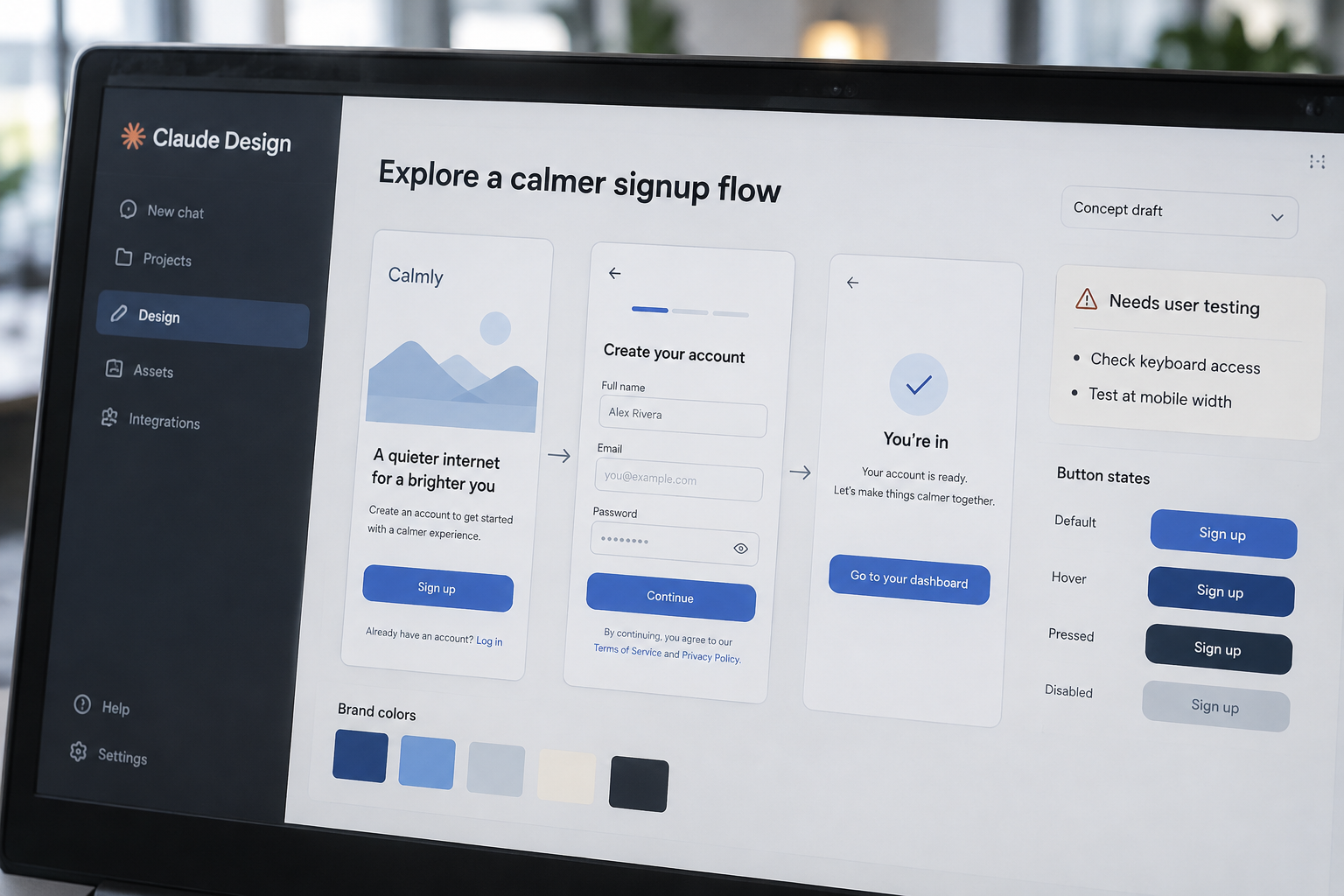
WCAG 2.2 has 13 guidelines; Claude Design can draft a screen, but it can’t confirm that screen works for real users. Anthropic’s design-focused workspace turns written prompts into visual concepts and interactive prototypes, giving product teams a faster way to explore early ideas. It doesn’t replace product strategy, accessibility checks, or the engineering needed to ship software. The practical test is the distance between a convincing prototype and a dependable customer experience: what carries forward, what needs rebuilding, and who checks it.
Key Takeaways
- Generate and revise visual concepts with prompts
- Treat prototypes as proposals, not production software
- Add brand references, then review every application
- Verify export and integration options in your account
- Test accessibility, responsiveness, and task completion
- Plan engineering handoff before approving a design
What Claude Design Does and Where It Fits
Claude Design is a prompt-led workspace for creating and revising visual designs, including interface concepts and interactive prototypes. You describe a product, page, or flow in plain language; Claude produces a starting point you can refine. That makes it useful early in product work, when a team needs to compare directions before investing in a finished design system or build.
A focused design workspace
The important distinction is the kind of work it supports. Claude Design is aimed at shaping visual ideas, while Claude’s general chat can answer questions or produce text and code without operating as a dedicated design workspace. Claude Artifacts are interactive outputs generated within a Claude conversation. Those outputs can demonstrate an idea, but they aren’t automatically a managed product design file.
A practical example: ask for a signup flow for a subscription service, and use the first result to discuss its steps, content, and visual hierarchy. A visual hierarchy is the order in which design elements draw attention. The result gives a team something concrete to critique instead of debating an abstract brief.
Availability depends on your account
As of October 2, 2026, check your Claude workspace and Anthropic’s current plan documentation to confirm access. Product availability, account eligibility, and enabled capabilities can change. Before a company standardizes on the tool, confirm that each intended user can open it and that your workspace settings allow the files and references the team plans to use.
A useful fit: early exploration, internal reviews, and low-risk prototypes. It’s a weaker fit as the sole environment for a mature design system, regulated workflows, or production implementation. Those jobs need documented decisions, repeatable quality checks, and clear ownership beyond the generated screen.
How Prompt-Based Design Turns a Brief Into a Prototype
A prompt gives Claude Design direction; it doesn’t replace the decisions in a product brief. Specific input usually produces a more useful first draft because the tool has less room to guess about users, tasks, and constraints. Give it the job the interface must do, not only the style you want it to have.
Describe the task, not just the look
A request such as “make a modern dashboard” leaves open what the dashboard tracks, who uses it, and what action matters most. A better prompt names the user, the main task, the information needed, and relevant constraints. For example: “Create a desktop dashboard for a small-business owner reviewing overdue invoices, with a clear way to filter by customer and open an invoice.”
That prompt gives you more to evaluate: Does the screen surface overdue work? Is the filter understandable? Can users find the invoice details? If the first design misses an important step, add the missing requirement directly rather than asking for another vague variation.
Iterate against clear criteria
Treat the first result as a draft, not a design decision. Review it against a short list: Does it support the main task? Is the content accurate? Are important controls visible? Then request targeted changes, such as improving the empty state or clarifying what happens after a button is selected. Specific revisions make it easier to judge whether the design actually improved.
A generated prototype can also help a team spot questions it hasn’t answered. If a checkout concept doesn’t explain shipping costs, the issue may be an incomplete product requirement, not a weak visual treatment. Resolve that decision before polishing the screen; otherwise, successive revisions can make an unclear idea look more finished without making it more complete.
Where It Helps and Where It Doesn’t
The strongest use case is reducing the time between an idea and a reviewable visual. Claude Design gives product managers, designers, and founders a way to explore options before a team commits to detailed design or engineering work. The payoff is better discussion around an actual flow instead of a broad description.
Explore alternatives before committing
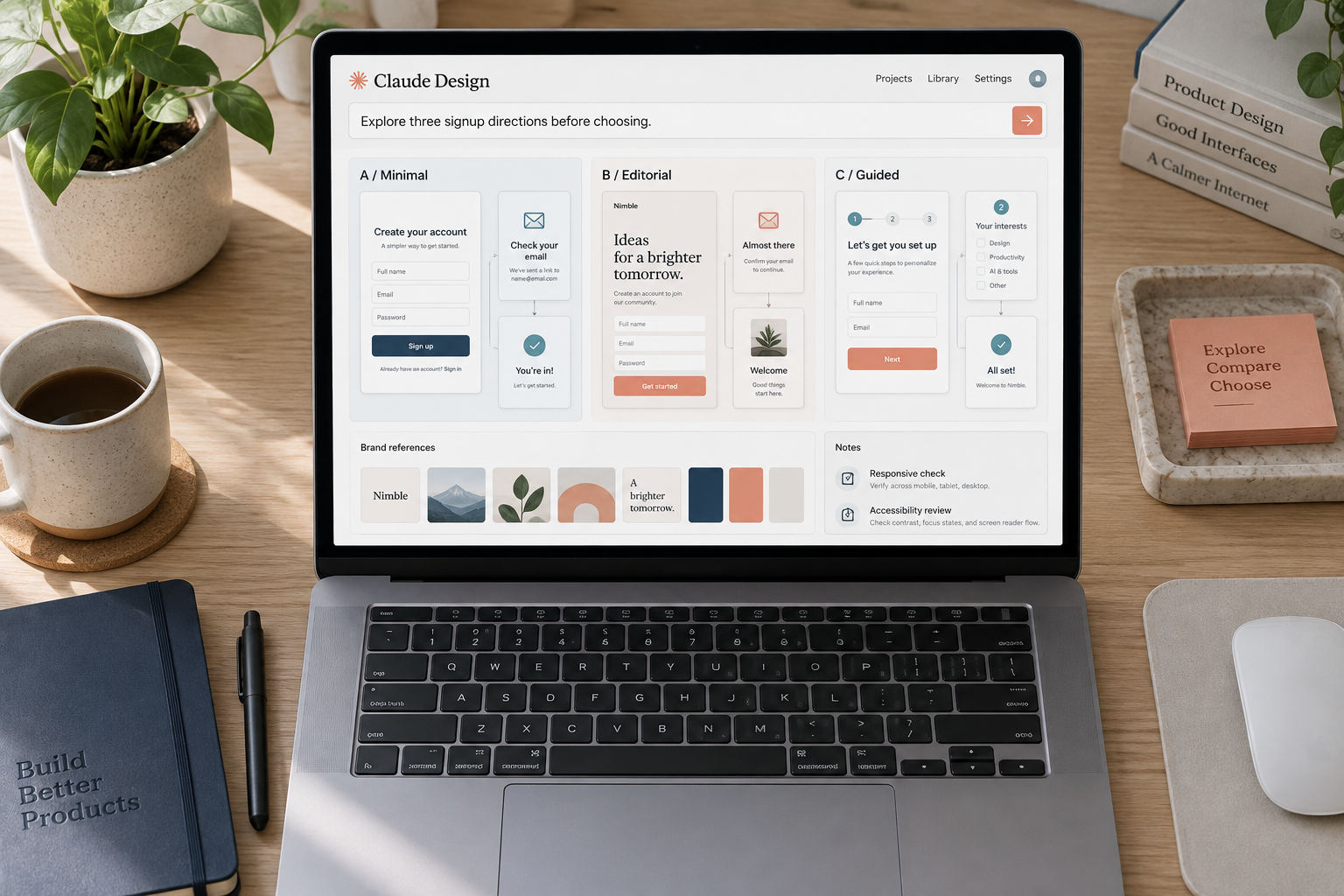
Use it to compare different approaches to a product page, onboarding flow, or internal tool. For example, a team planning a customer-support portal could compare a search-first landing screen with one organized around recent requests. The prototypes make the tradeoff visible: which approach brings the user’s next action forward, and which adds steps?
Keep the comparison focused. Ask for alternatives that change one meaningful decision at a time, such as navigation structure or the order of information. If every version changes layout, copy, color, and behavior together, the team can’t tell which change drove its preference.
Make flows easier to review
Interactive prototypes can demonstrate a sequence of screens and make review more concrete. Ask reviewers to complete a specific task, such as changing a saved address, rather than asking whether they “like the design.” Their questions often reveal missing states: errors, loading, confirmation, and what happens when a user has no saved information.
That’s useful before engineers build the flow, but the prototype’s interactions might not reflect the production system. A button that advances to another screen doesn’t prove the service can save data, handle an error, or protect an account. Mark simulated behavior so reviewers don’t mistake it for tested functionality.
Don’t delegate product strategy
Claude Design can help visualize a direction, but it can’t decide which customer problem your business should solve or what belongs in the first release. Those decisions require product context, customer evidence, and tradeoffs across scope, time, and business goals.
Use generated screens to sharpen those decisions, not bypass them. A polished concept is still a weak proposal if it targets the wrong user or makes an unnecessary task look attractive. The team remains accountable for choosing the problem and validating that its solution fits.
Brand References, Editing, and Handoff Need Review
Brand references can guide a generated design toward an existing look and feel. Provide approved colors, typography guidance, logos, and examples when the workspace supports them. Then inspect the output: a reference can inform a design without guaranteeing consistent or correct application.
Supply usable design references
A design system is a shared set of interface rules and components, such as buttons, type styles, spacing, and color tokens. If your team has one, make its current guidance clear and distinguish approved elements from old campaign art or experimental concepts. Otherwise, Claude Design may follow a visual reference that was never meant to become a product standard.
Check details that affect trust and recognition: logo proportions, contrast, button states, and whether headings match your brand’s actual type choices. A generated approximation is not a substitute for the source asset. Ask the designer or brand owner to confirm that the design uses approved materials.
Confirm what editing and export preserve
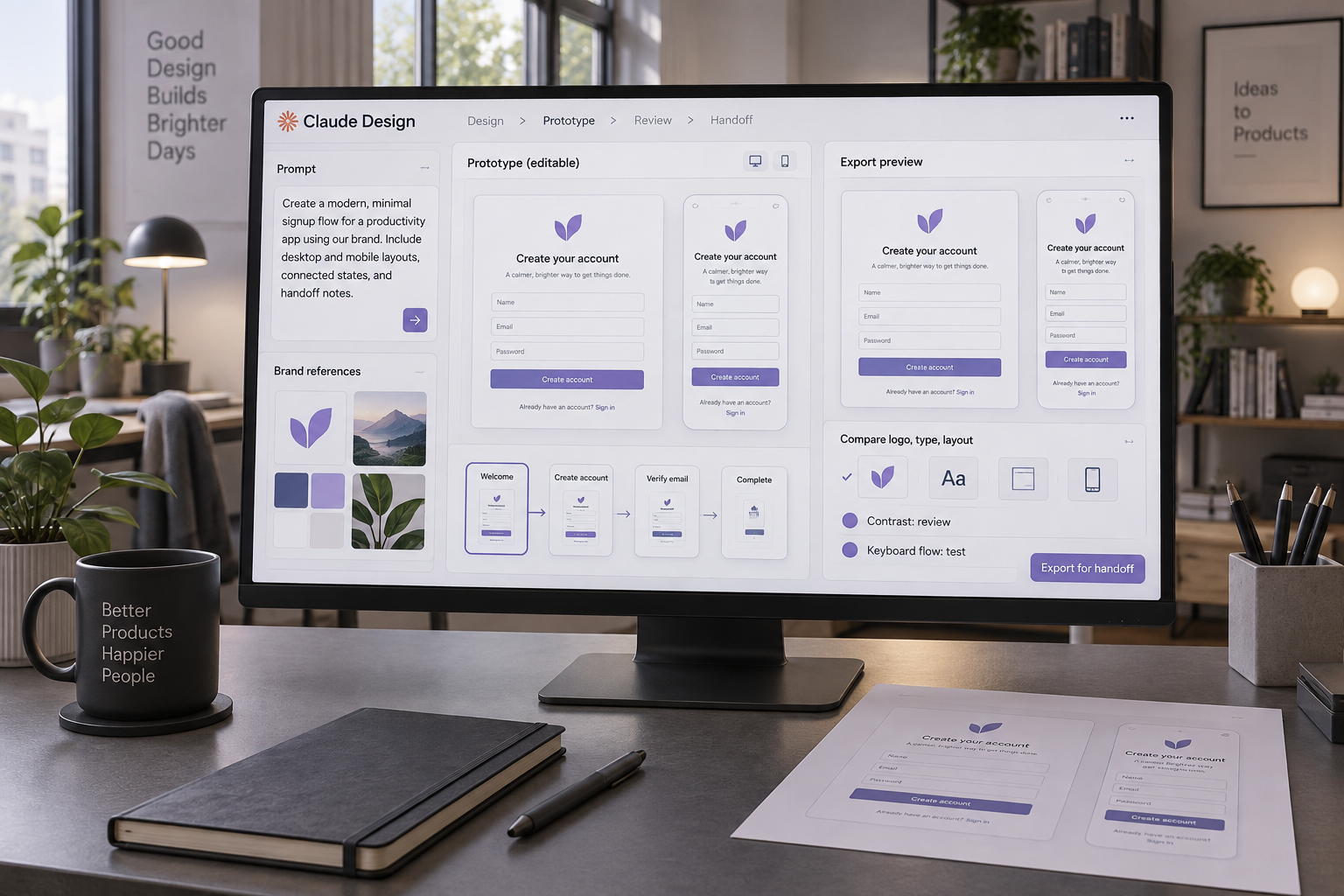
Editing a generated design doesn’t guarantee that every element maps cleanly into a separate design tool or codebase. Before promising a handoff, verify which export formats and direct integrations your account supports. Also check what carries over: layout, fonts, components, interactions, and editable layers may not transfer in the same way.
| Option | Best fit | What to verify |
|---|---|---|
| Claude Design | Prompt-led concepts and prototypes | Current editing, export, and sharing options |
| Claude Artifacts | Interactive examples inside Claude | Whether the output supports your review needs |
| Figma or similar design software | Team design files and system-based work | Components, permissions, version history, and handoff |
Don’t assume an export is a round-trip integration. A file that opens elsewhere might lose linked components or behavior, and a prototype link might not include the underlying design assets. Test the exact workflow on a small, representative screen before planning a large project around it.
A Convincing Prototype Isn’t Production-Ready
A polished interface can still fail at the point of use. Claude Design doesn’t prove that a screen is accessible, responsive, secure, or usable with your product’s real data. A team must check those qualities separately, including the states that a smooth demo often leaves out.
Accessibility needs deliberate testing
WCAG 2.2 contains 13 guidelines under four principles. — World Wide Web Consortium (W3C)
Those guidelines address more than color and appearance. A design review should check keyboard access, visible focus, text clarity, control labels, and whether information remains understandable when users zoom or use assistive technology. Don’t assume generated layouts meet these needs because they look clean on screen.
Some accessibility problems depend on implementation. A prototype can show a button, but it can’t establish that the shipped control has the right accessible name or works with a screen reader. Include a qualified accessibility review and test the implemented interface, not only the mockup.
Test tasks and real screen sizes
A responsive design must work across different screen widths, not merely shrink to fit. Review layouts at the sizes your customers use, and check how long text, validation errors, and missing content affect the page. A short label in a concept can become a wrapped line in the product.
Usability testing is separate from visual review. Give representative users a realistic task and watch where they hesitate, misunderstand a label, or take an unexpected route. Ask what blocked them, then decide whether the problem came from the interface, the wording, or an unaddressed product rule. A positive reaction to a mockup is not proof that someone can complete the task.
Keep engineering and product review in the loop
A prototype doesn’t establish how authentication, data storage, permissions, error handling, or integrations will work. Engineering must evaluate the implementation against the existing architecture and security requirements. Product owners must confirm that the flow matches approved requirements and business rules.
The main risk is false confidence: a design can look complete while important decisions remain open. Label simulated behavior, record assumptions, and name the person responsible for resolving each open question before development begins. That review catches gaps while they’re still inexpensive to change.
A Practical Path From First Prompt to Engineering
Use Claude Design as one stage in a product workflow, with an owner for decisions and a clear handoff. The process below keeps a promising concept from being mistaken for an approved build specification.
- Write the brief. Name the user, goal, primary task, and constraints. Include relevant brand references and note anything the team hasn’t decided.
- Generate a focused concept. Ask for one screen or flow tied to a specific job. Avoid packing an entire product into one prompt.
- Review and revise. Check task steps, content, visual hierarchy, and missing states. Make targeted changes and record decisions the team approves.
- Test the prototype. Ask representative users to complete realistic tasks. Capture points of confusion and revise the flow before handoff.
- Prepare engineering notes. Document behavior, validation, error and loading states, responsive expectations, accessibility findings, and unresolved questions.
The product designer or product manager should own the review criteria. Engineers should join before the design is treated as final, especially when the flow depends on existing data, permissions, or third-party services. Early input catches implementation constraints before they turn into a surprise at handoff.
Treat the exported or shared output as a reference until the receiving team confirms what it can use. Include source assets where supported, identify any simulated interactions, and link each screen to its product requirement. That gives engineers enough context to ask precise questions rather than reverse-engineering intent from a visual.
The handoff is complete when the team agrees on behavior, not when the screen looks finished. If a reviewer can’t explain what happens after an action, what the error state shows, and which requirements the flow supports, the design still needs product work.
Conclusion
Use Claude Design when you need to turn an early product idea into something people can review and test. Before committing, confirm account access and export options, then run one representative flow through design review, user testing, and engineering handoff. If your team needs a production design source of truth or validated implementation, keep dedicated design tools and human review in the workflow.
Frequently Asked Questions
Is Claude Design different from Claude Artifacts?
Yes. Claude Design is focused on visual design and prototyping; Artifacts are interactive outputs created within Claude conversations. An Artifact can demonstrate an idea, but don’t assume it includes the organized design files, components, or handoff details your product team needs.
Can Claude Design export directly to Figma?
Supported export and integration options depend on the current product and your account. Check the export menu with a representative screen, then confirm whether editable layers, components, and interactions survive the transfer before planning a team workflow around it.
Can Claude Design generate production-ready code?
A generated prototype isn’t proof of production-ready code. Engineers still need to review the implementation, connect real data and services, and handle security, accessibility, errors, and performance against the product’s requirements.
Do you need a designer to use Claude Design?
You can create concepts without being a designer, but an experienced designer should review work headed toward a real product. That review catches inconsistent design-system use, confusing interactions, and accessibility issues that a polished preview can hide.